

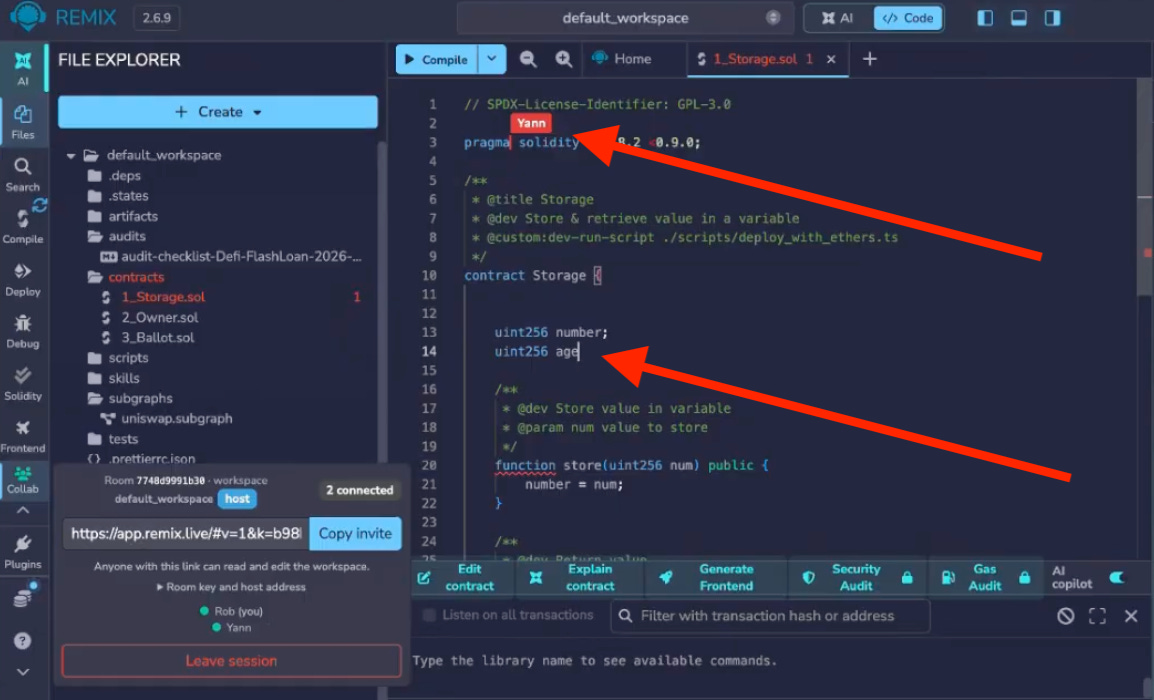
Now in Remix, you can now invite others to a Workspace. With Collaborative Workspaces, every participant can edit any file across a shared Workspace, complete with named cursors that show everyone’s live activity in the code.
The amazing thing about this integration is that your session is private - there is no server in the middle that can log your work.
This feature is in Beta. It is using the latest features in both Remix and Swarm! Learn more about how this works from the Swarm side with their article, Real-Time Collaborative Editing on Swarm.
Try It Out
Swarm Setup
First you need to install Swarm Desktop. Also check the Swarm documentation.
Once installed, Swarm Desktop will open a local webpage like this:
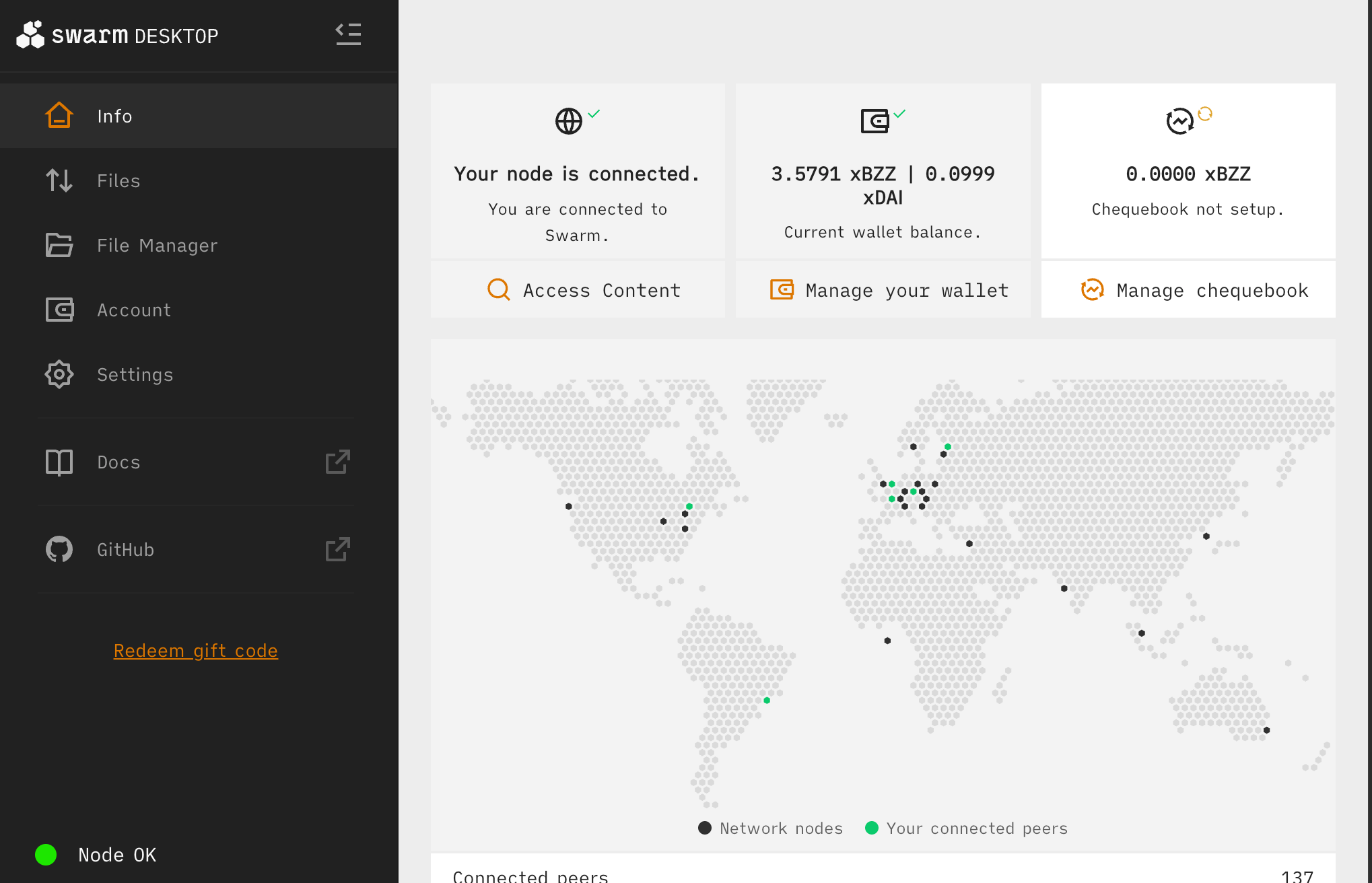
Go to the Account page and setup your wallet. Using Swarm requires the use of Swarm Postage Stamp that is bought with BZZ tokens which can be easily purchased. You can even use xDai.
When buying the Postage Stamp, remember to select the right number of days. Also when trying it out, move the slider all the way to the left to select 1 day so you don’t pay for more storage time than you need:
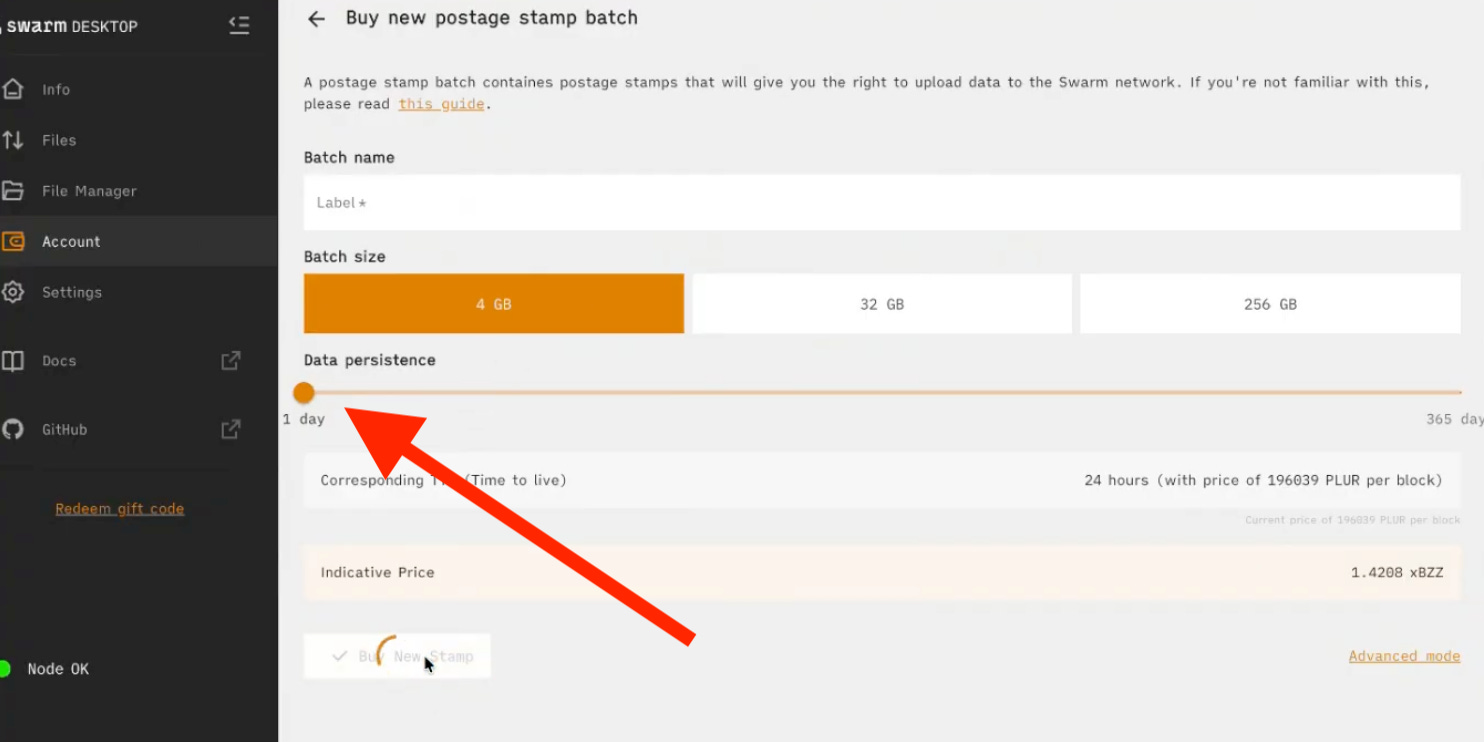
Purchasing the Postage Stamp can take a minute or so, so be patient.
Setting Up the Collab Session in Remix
On Remix, click the Collab icon:
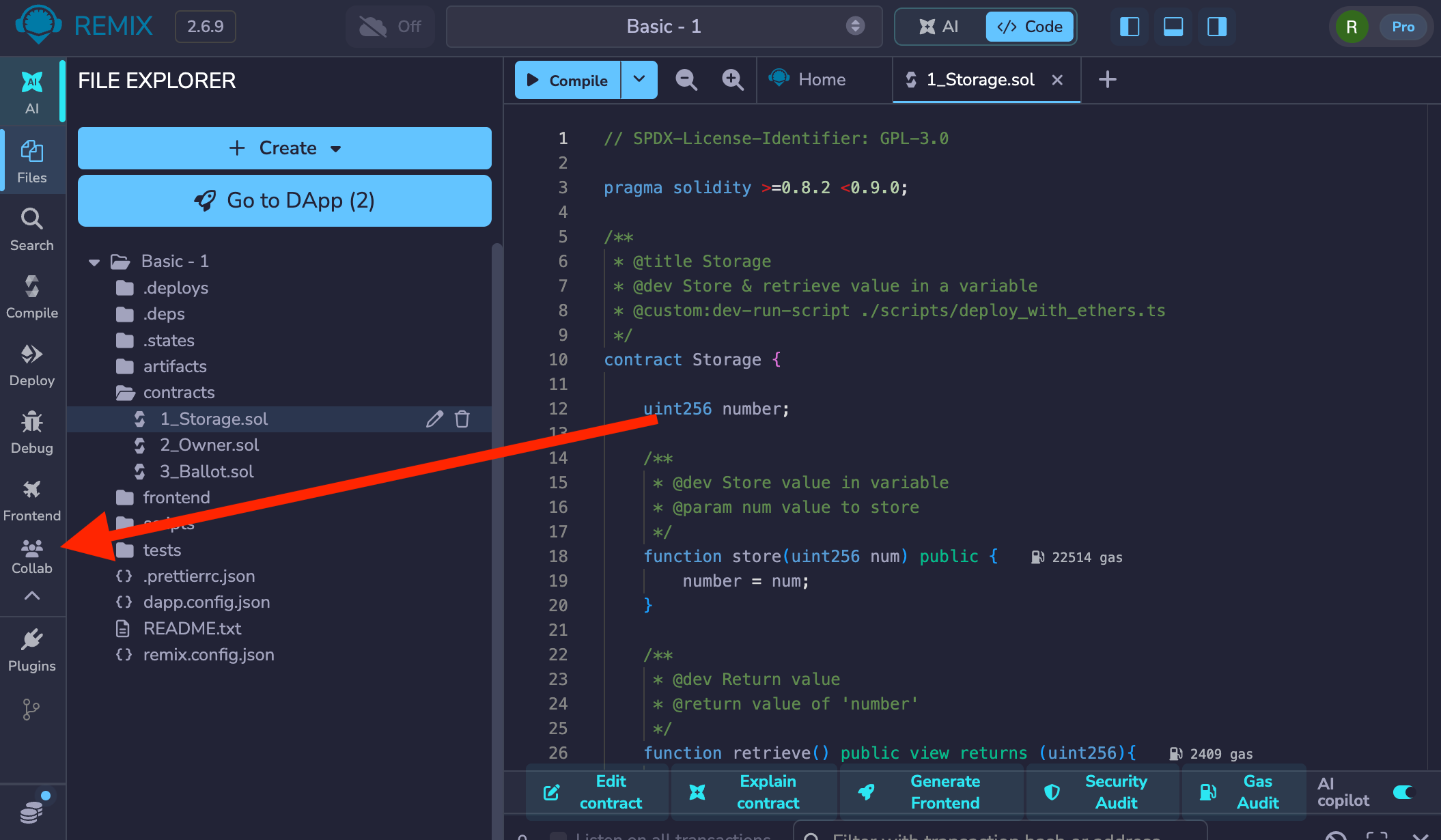
This will bring up the Collab Setup Modal:
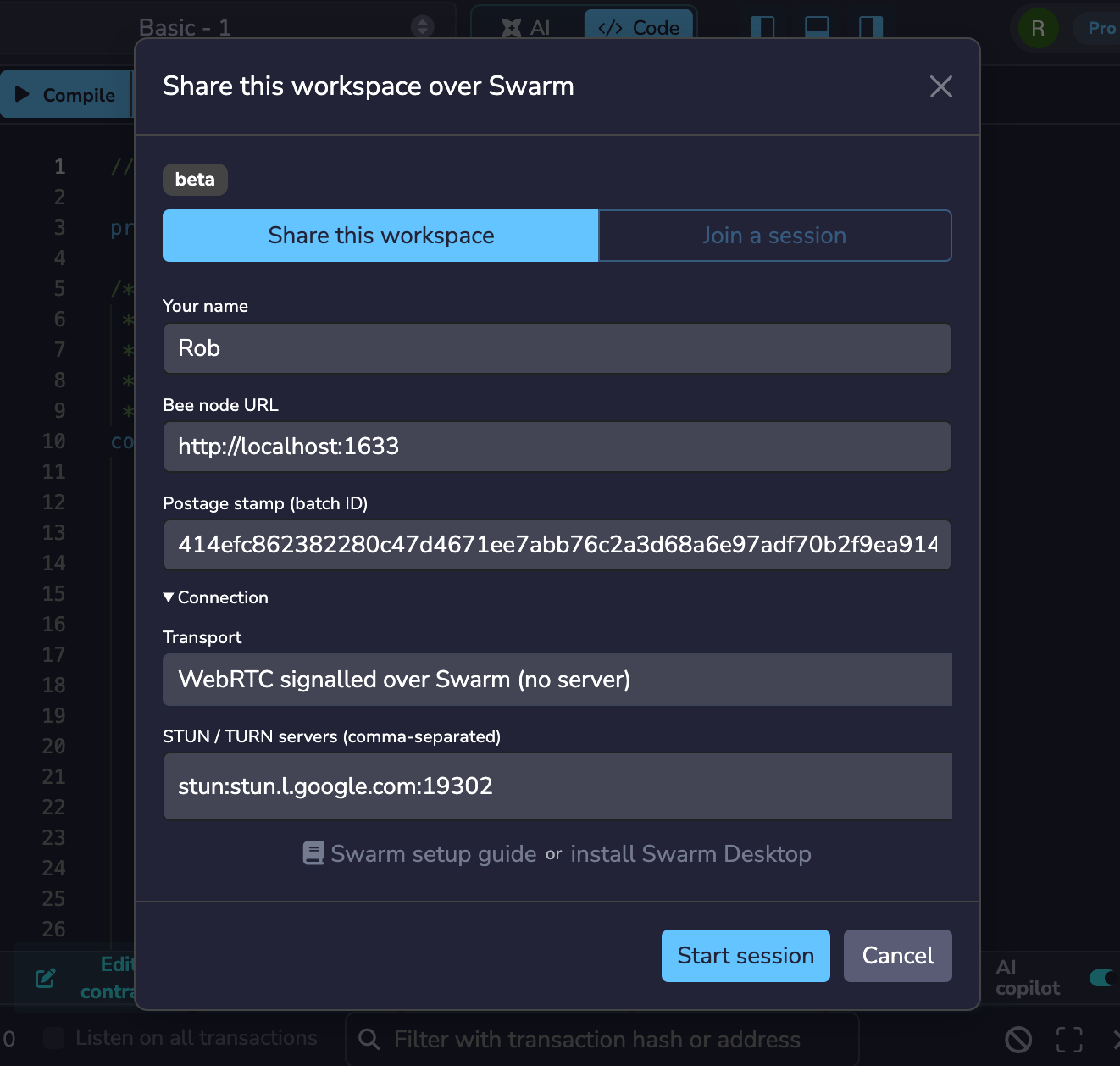
Input your Postage Stamp ID.
Then after you click Start Session button, you’ll get another modal with an invite code:
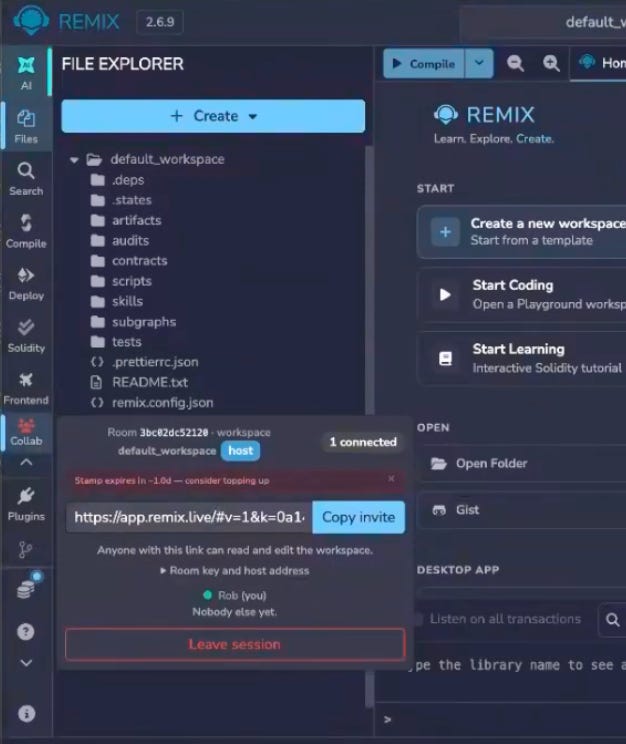
The Remix link that is generated in the Copy Invite button will be a link to Remix with the room key in a URL parameter. They can also join a session in Remix by clicking on the Join a Session button and inputting the invite link.
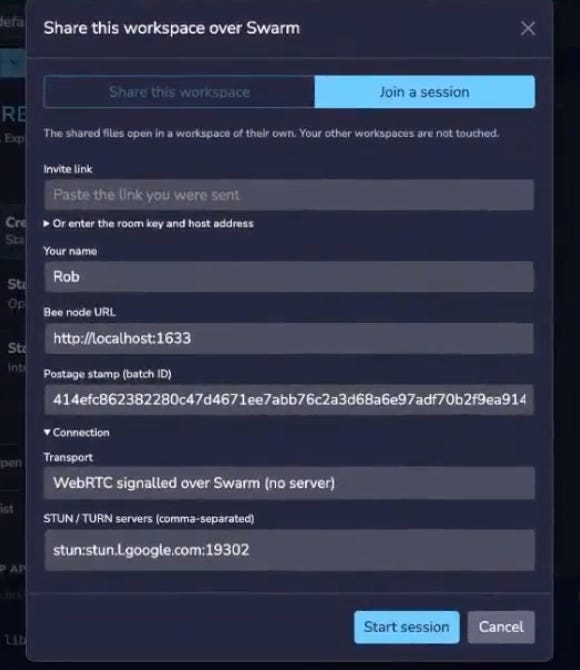
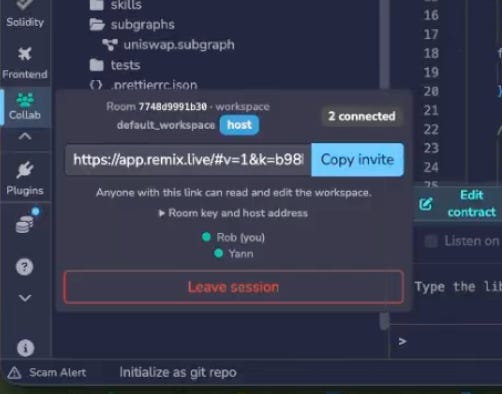
While the session is setup, your collaborator’s name will have a yellow dot next to it and when the initiation is complete, their dot will turn green.
Then when you both open the same file, you each have a cursor:
You can both use the RemixAI chat to update the code.
Plus you can work asynchronously on the same workspace!
Collaborative Sessions have arrived in Remix!
Collaborate Sessions are a Beta Feature and its best to have just a few collaborators. Please review the Solarpunk blog post for more information about Swarm and this amazing bit of technology. By working in teams on the same file at the same time, you can become a better coder while developing and debugging faster!
Remix would like to thank the Swarm Foundation and Solar Punk for developing this collaborative technology that is a great fit for Remix developers.
We hope you’ll try it out!