
Remix Release v1.2.0

The Big News
Remix Noir Plugin Update
Smart Scrolling in the RemixAI Assistant
LearnEth Tutorials UI update
Noir Update
Before this release, you could only compile a Noir (.nr) circuit. With this release, you can:
Compile
Set the inputs for proofs
Generate a proving .ts file to test offchain whether a proof is valid
Generate a .sol file for onchain proving
Plus, you can now run the verify.ts file in Remix and deploy the .sol file to the local Remix VM for testing, or to any EVM chain.
Get Going with Noir Plugin
The plugin can either be activated in the Plugin Manager or by clicking the Editor’s Compile button when a Noir file is active. There is a basic Noir file in the Noir template that can be loaded when you create a new Workspace.
This is the view after a Noir circuit has been compiled:
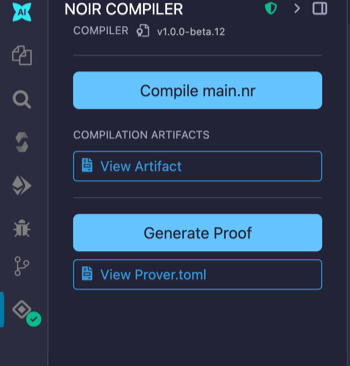
Inputs are placed in the Prover.toml file
Place your inputs in the file and then click Generate Proof.
Upon success, more options will appear in the PROOF ARTIFACTS section of the plugin:
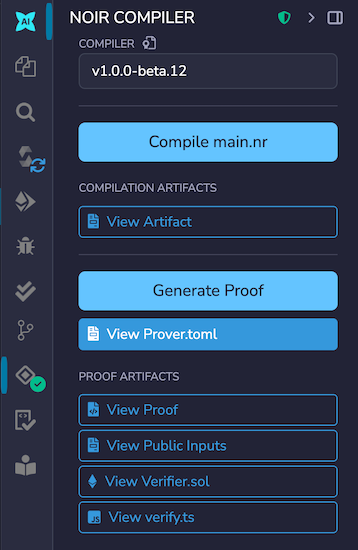
Files associated with the buttons: View Proof, View Public Inputs, View Verifier.sol, and View verify.ts are of course in the File Explorer.
To run the verify.ts file, you will need to switch Remix’s default script dependencies. This is done in the Script Configuration panel. Open this panel by clicking on the caret near the Run script button.
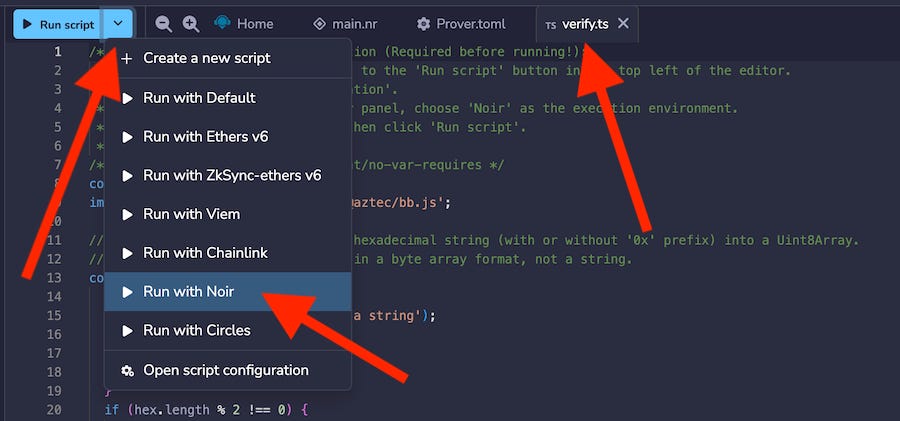
Note: You need to have a ts/js file active in the Editor to see the Run script button.
So start playing with Noir! See a more extensive tutorial here.
Scrolling in the RemixAI Assistant
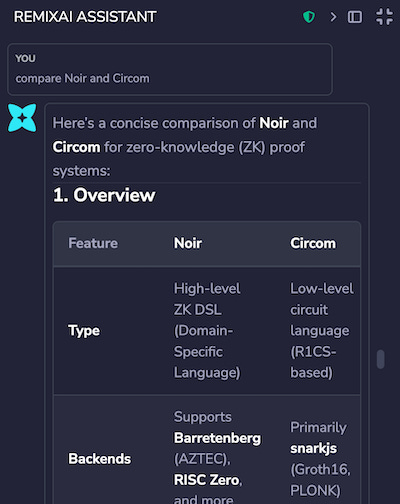
The RemixAI Assistant returns a lot of information. We’ve now updated the scroll on this panel so that you don’t have to wait until the LLM is done pontificating to begin to read its answers. This improvement should make RemixAI easier to work with.
LearnEth Update
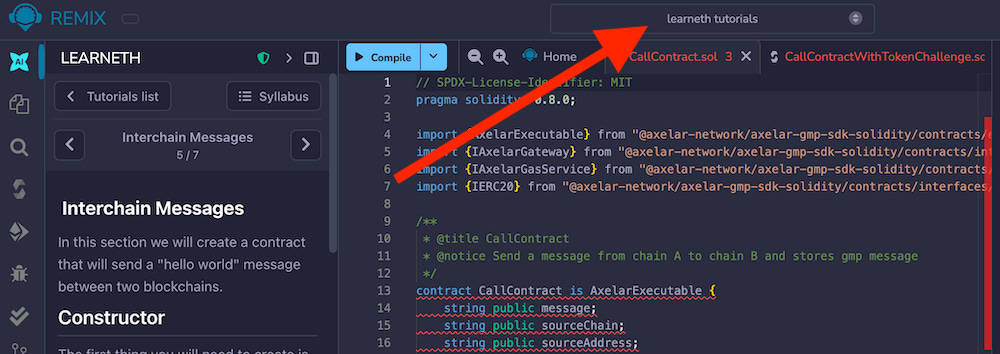
LearnEth is Remix’s guided tutorial plugin. Previously, most of the tutorials had example files which were loaded into the current Workspace. Now, these example files will be stored in a new Workspace called Learneth Tutorials.
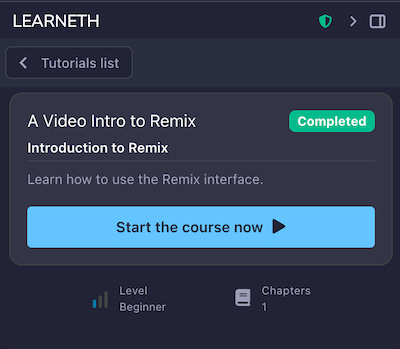
And now, when you finish a tutorial, it will be marked Completed:
Thank You, Brilliant Remix Users
As you may have noticed, we are now publishing our release notes on Substack. We hope you are enjoying the updated reading experience here.
Please report any problems you find in Remix. And, if you have any suggestions about Remix, please send them our way!
Join our Discord server for community support. Or, send us an email at support@remixlabs.live!